Expo
Self-service event platform replacing manual link distribution across Cisco's global events programme — rolled out to 300,000+ partners worldwide.
- Role
- Sole designer and design lead across product strategy, discovery, roadmap prioritisation, UX architecture, interaction design, validation and delivery
- Team
- Product Manager, Sales Engineers, trainers and event organisers across global regions
- Scope
- 0→1 design of a new product within the dCloud Sales Org platform
The business problem
Cisco runs events constantly — partner training, customer walk-in labs, bespoke client presentations — and every one depends on Sales Engineers delivering live demos through dCloud. There was no front end for any of it.
Organisers booked sessions directly in dCloud, emailed participants raw links, and managed check-ins by hand. SE time spent on logistics instead of selling, inconsistent experiences in front of customers, and no way to scale.
The goal wasn't "design a portal." It was to remove the operational overhead, raise the experience quality, and make dCloud-powered demos self-service. I led design end-to-end as the sole designer, shaping what the product should be — not just how it should look.
Discovery
I ran interviews across three communities: high-volume trainers running certification labs, demo SEs building customised customer experiences, and event organisers managing branded client presentations.
The clearest finding was that the problem wasn't inconvenience — it was a ceiling on what events could be. Trainers couldn't run self-paced labs at scale, SEs couldn't give customers a coherent branded experience, and organisers had no way to run events without manual shepherding. The demand was already there; the product to meet it wasn't.
Driving alignment
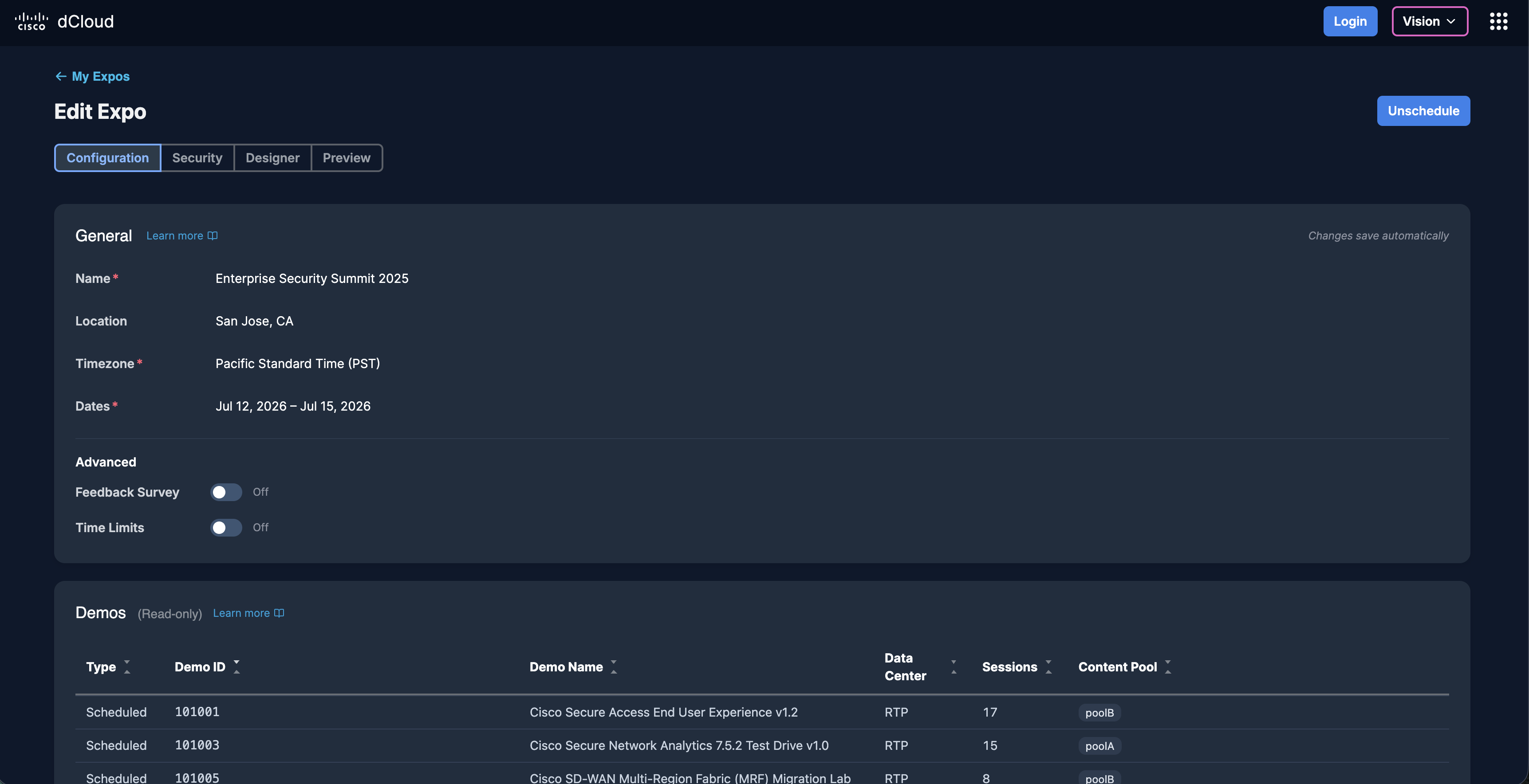
Three user groups wanted three different products. Trainers wanted throughput. Demo SEs wanted control. Event organisers wanted branding. The easy failure mode was a fragmented tool that did all three badly.
Rather than build to the loudest voice, I synthesised the research into one direction: a single platform, one core flow, configurable per use case — self-paced labs, live demos, and branded customer events on a shared foundation. The result serves a trainer running 200 walk-in sessions and an SE running a single high-stakes customer presentation without either feeling like an afterthought.
The hardest problem: scheduling demos at scale
The core design challenge was what happens before the event starts. Organisers schedule demos across dCloud's infrastructure — choosing from hundreds of demos, picking a data centre (dCloud has five globally), specifying session counts, and verifying capacity. A failed capacity check, or a wrong demo ID, and an event fails mid-session in front of a customer.
Version 1 required organisers to type a demo ID by hand — a string most SEs didn't have memorised. Exactly the kind of friction that produces errors under pressure.
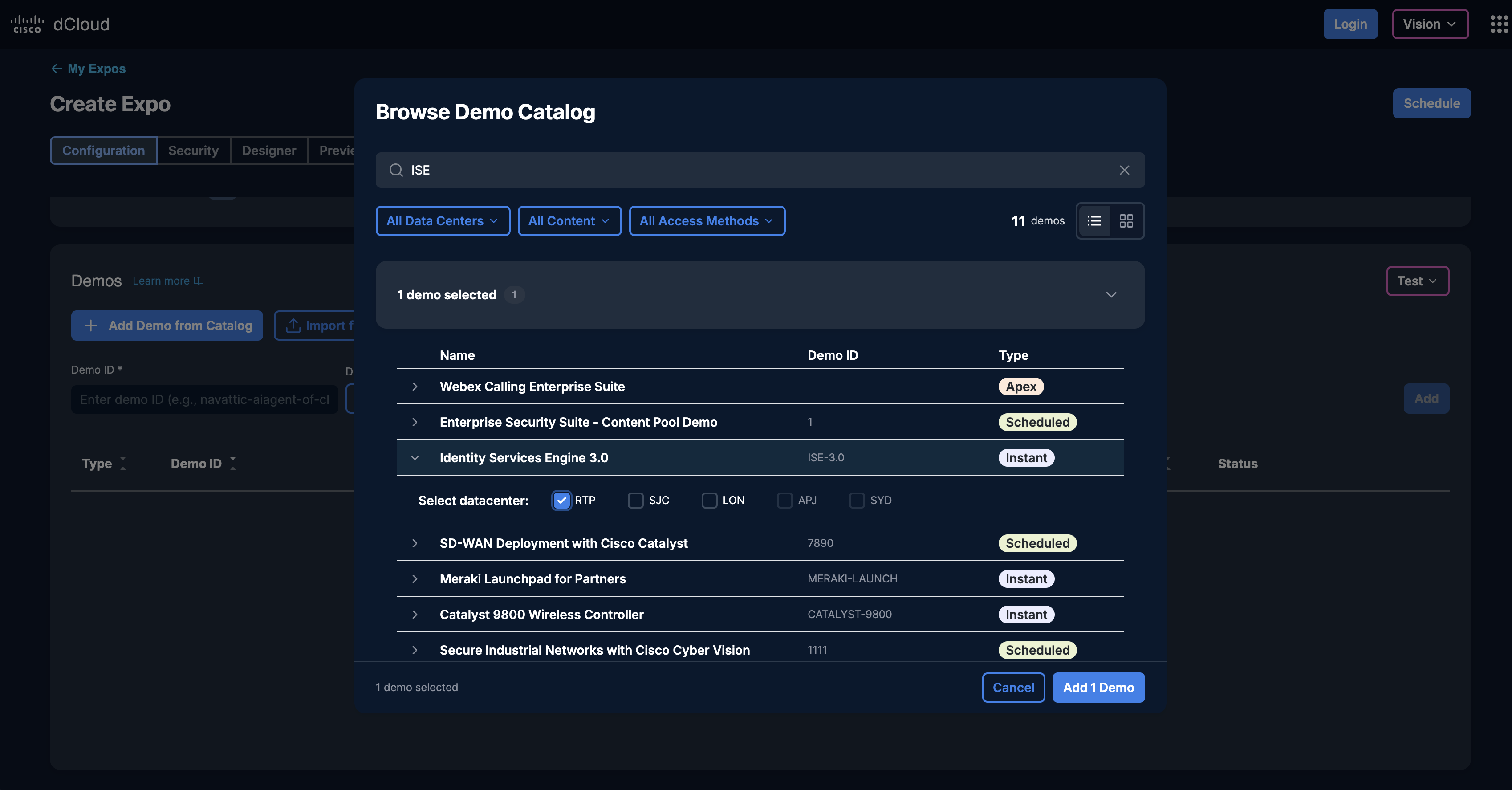
For version 2 I designed the Demo Picker: a modal that searches the dCloud catalogue by name, auto-populates the demo ID and recommended data centre on selection. A lookup-and-type task became a search-and-confirm task — removing a known, repeatable source of configuration error.
Making capacity checks legible
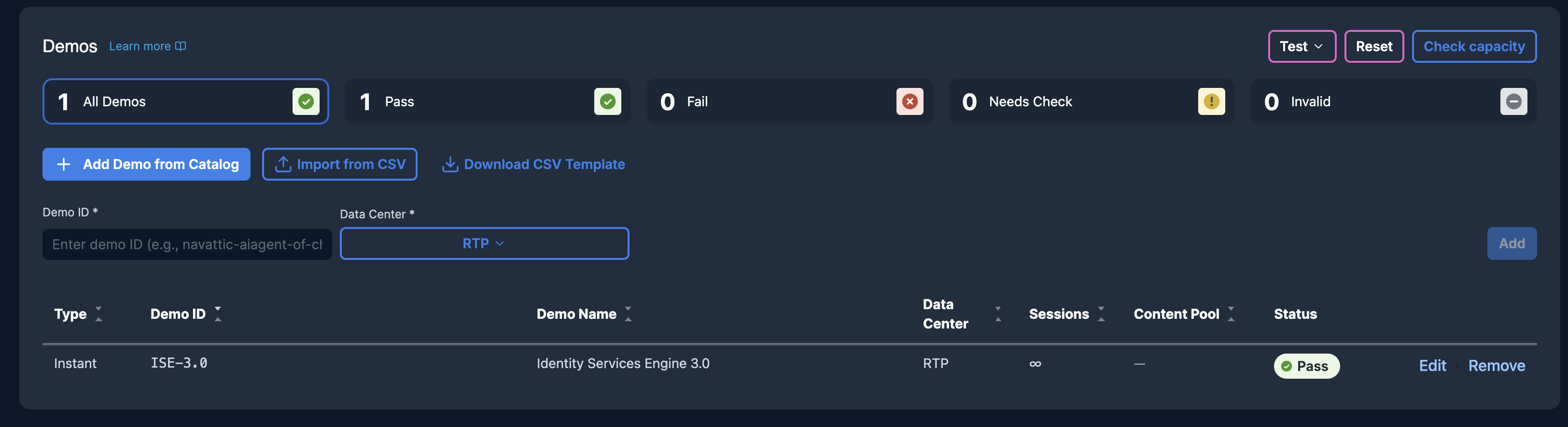
Even with the Demo Picker, capacity checking was the step most likely to block organisers. A failed check returned an opaque error — they couldn't tell whether the problem was the date range, the session count, or one specific data centre.
I redesigned the result as a table: each data centre as a row, each date range across columns, available capacity shown against the event's demand. When something fails, the exact constraint is visible — not a generic "unavailable." Validated via a Figma prototype with real users: participants consistently diagnosed and resolved failures on their own.
The attendee experience
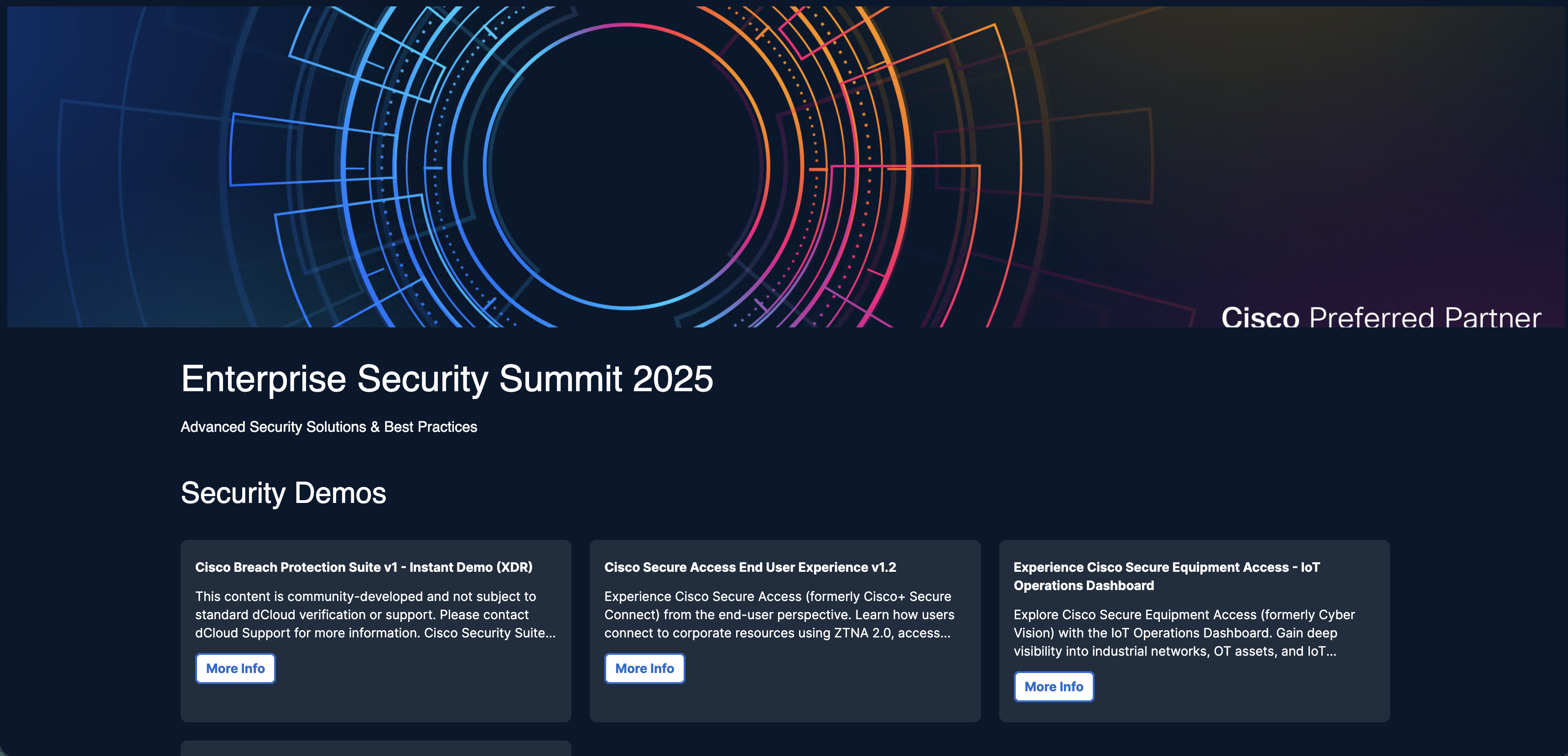
For participants, Expo replaces the raw link with a real event portal — branded to the organiser, with self-service login, live session status and seat selection. The interface stays out of the way so attendees focus on the technology, whether in a self-paced lab or a live customer presentation.
The management portal runs in parallel — session status, resets and capacity in real time. That data persists after every event: who attended, which sessions they accessed, for how long. For a sales org, that's not just operational data — it's lead intelligence that carries value well beyond the event itself.
Impact
Rolled out to 300,000+ Cisco partner companies worldwide
through the Cisco 360 Partner Program — launched globally at Cisco GSX, Las Vegas, with 10,000+ events run worldwide across 2,000+ SEs and event organisers.
Event setup moved from manual administration to guided self-service
tasks that previously required booking sessions individually and distributing links by hand became a streamlined flow completed in minutes. Delivery shifted to attendee self-service, removing the logistics overhead that had capped how large events could be.
I wrote the script and recorded the voiceover
for the Cisco 360 partner rollout video — the voice 300,000+ Cisco partner companies heard introducing the product.
Looking back
What I'd do differently: Push harder for the Demo Picker in the initial release. V1 shipped with manual ID entry because it was the faster build path — and it worked — but the friction was predictable and avoidable. I accepted the V2 timeline to keep things moving; I'd make the case earlier now.
Where it led: Expo proved the platform model — that the Sales Org's demo infrastructure could support distinct products on shared foundations. That's the lens I bring to the whole dCloud portfolio now.
“Thank you for your commitment to bringing Topology Builder and dCloud Expo to life for our Preferred Partners. These demo tools are transforming how our partners showcase our technology and are a testament to what we can accomplish together.”